In this article
A faceless content creator builds videos, posts, and audio without appearing on camera. No face. No name attached to a personality. Just content built around a niche – one that teaches, entertains, or informs. Thousands of channels use this model across YouTube, Instagram, and TikTok. Some reach hundreds of thousands of subscribers without the creator ever appearing on screen. This guide gives you the exact steps to go from zero to published, with a production system that doesn’t require showing up.
What You’ll Need
- A niche topic you can research and explain clearly (you don’t need to be an expert – you need to be one step ahead of your audience)
- A laptop or desktop for screen recording and video editing
- One platform to start on: YouTube, Instagram, or TikTok – not all three
- A free voiceover tool: ElevenLabs free tier gives 10,000 characters per month with no card required
- A video editor: CapCut (free) or DaVinci Resolve (free) are enough to start
- At least 5 video topic ideas written down before you open any tool
- 2–4 hours for your first production session
Step 1: Understand What Faceless Content Actually Means
Before touching any tools, get clear on the model. A faceless content creator is not someone who is anonymous for the sake of mystery. It is someone who delivers audience value through content – niche knowledge, research, entertainment – without the personal brand overhead of on-camera presence.
There are five formats faceless creators use:
1. Screen recording + voiceover. You walk viewers through a process on screen. Finance breakdowns, software tutorials, research walkthroughs. Lowest production barrier. A screen recorder and a voiceover is everything.
2. Stock footage + voiceover. You source B-roll clips, cut them together, and narrate. Works for history, travel, documentary, and motivation niches. B-roll sourcing from Storyblocks or Pexels is the core skill.
3. Text-overlay video. Animated or static text over background footage or a solid color. Common on Instagram Reels and TikTok. Fastest to produce.
4. AI-generated visuals. Image-to-video tools generate visuals from a prompt, paired with a script and voiceover. Quality is improving but not broadcast-standard yet. Works for storytelling and abstract topics.
5. Hands-only or POV. Your hands appear. Your face doesn’t. Works for cooking, unboxing, and craft content.
Pick the format that matches your niche and what you can realistically produce in under 2 hours per video. Don’t mix formats in your first 10 videos – consistency speeds up the learning curve.

Step 2: Pick a Niche with Actual Demand
The most common mistake new faceless creators make is choosing a niche based on what they enjoy watching, not what people search for.
A good faceless niche has three characteristics:
Demand without saturation. There’s search volume for topic keywords that isn’t dominated entirely by channels with years of content. Finance, history, and motivation have massive volume but brutal competition. Emerging sub-niches within those categories are the better entry point for a new channel.
Separable from a face. Niches where authority comes from information quality, not personal charisma. Finance works. Travel vlogs don’t. Tech tutorials work. Personal fitness transformation stories mostly don’t – at least not without a face attached to the journey.
Consistent content supply. You need a niche that generates at least 50 video ideas without strain. Finance, history, AI tools, productivity, psychology, business case studies, and cooking all qualify. A niche that runs out of topics after 20 videos is the wrong niche.
Niches that consistently work for faceless YouTube and Instagram:
- Personal finance and investing basics
- AI tool tutorials and reviews
- Productivity systems and workflows
- History and documentary storytelling
- Business case studies (“How X company built Y”)
- Sleep and relaxation content
- Cooking and recipe demonstrations
- True crime and mystery storytelling
- Real estate investing education
For each niche you consider, check YouTube search volume manually. Search the topic, look at the top 10 results. If the top results are from channels with fewer than 100K subscribers, the niche is competitive but not locked. If every result is a channel with 500K+ subscribers and years of content, you need a sub-niche angle to find any foothold.
Step 3: Set Up Your Channel Without a Face
Faceless does not mean no identity. The channel still needs a name, a visual style, and a consistent aesthetic. What it doesn’t need is your photo, voice (unless you choose to use it), or name.
Channel name. Name the content, not the person. “Finance Unlocked,” “History Decoded,” “AI Brief,” “Quiet Cash” – these work because they describe what the channel delivers. Avoid names tied to your identity unless your niche specifically calls for it.
Profile image. Use a logo, a bold letter mark, or a thematic visual. Canva free tier has templates that work. The image needs to read clearly at 50x50 pixels – that’s how small it appears in mobile search results.
Channel description or bio. One sentence describing the output. “Weekly breakdowns of personal finance strategies for first-generation investors” – not “I’m a finance enthusiast who loves sharing tips.” Describe what viewers get, not who you are.
Banner or cover image. Bold text overlay on a dark or high-contrast background with your content category visible. Mirror the thumbnail aesthetic of the top channels in your niche. Canva has templates for YouTube channel art that take under 30 minutes to set up.
This setup takes 60-90 minutes with free tools. The goal is visual consistency, not perfection. A coherent brand is more important than a polished one at this stage.
Step 4: Build Your Minimum Production Stack
Don’t subscribe to anything before publishing your first video. Here is the minimum viable stack for a new faceless creator:
| What you need | Free option | Paid option |
|---|---|---|
| Video editor | CapCut, DaVinci Resolve | Adobe Premiere, Filmora |
| AI voiceover | ElevenLabs free tier (10K chars/mo) | ElevenLabs Creator (~$22/mo) |
| Script writing | ChatGPT free | Claude Pro |
| Thumbnail creation | Canva free | Canva Pro |
| Stock footage | Pexels Video, YouTube free B-roll | Storyblocks ($15/mo) |
| Screen recorder | OBS Studio | Loom Pro |
Start with the free column. Upgrade only when you hit a friction point that’s actually slowing you down – not one you imagine might be a problem.
The most common mistake at this stage: subscribing to InVideo, Pictory, or another all-in-one AI video tool before publishing anything. These tools don’t solve the actual bottleneck, which is committing to a format and shipping consistently. They solve production speed problems that don’t exist yet.
For AI tools built specifically for faceless content, the full breakdown of what’s worth paying for versus what’s free-tier-sufficient is covered separately.
Want the production system behind these channels? The Complete Channel Launch Pack gives you 10 channel blueprints, setup prompts, thumbnail concepts, and a 30-day starter plan so you can start from a picked channel instead of a blank page. Get it for $9 →
Step 5: Produce and Publish Your First 5 Pieces
No editorial calendar. No batch planning. Not yet. For the first month, the goal is to learn by publishing, not to plan publishing.
The production workflow for a 5-10 minute faceless YouTube video:
Pick a search-intent title. Start with a keyword people are actually typing. “How to…” and “Best X for…” outperform opinion pieces for new channels. Use YouTube search autocomplete to find real queries, then match your title to one.
Write a 3-section script. Intro (hook + what they’ll learn), Body (numbered steps or ranked items), Outro (summary + call to action for the next video). Target 800-1,200 words for a 5-8 minute video at natural speaking pace.
Generate voiceover. Paste the script into ElevenLabs, select a voice, export as MP3. Most AI voices read slightly slower than natural speech – increase speed by 5-10% in your video editor.
Source visuals. For screen recording: record your screen walking through the process. For stock footage: match 5-10 clips from Pexels to your script sections. One clip per 20-30 seconds of voiceover is enough.
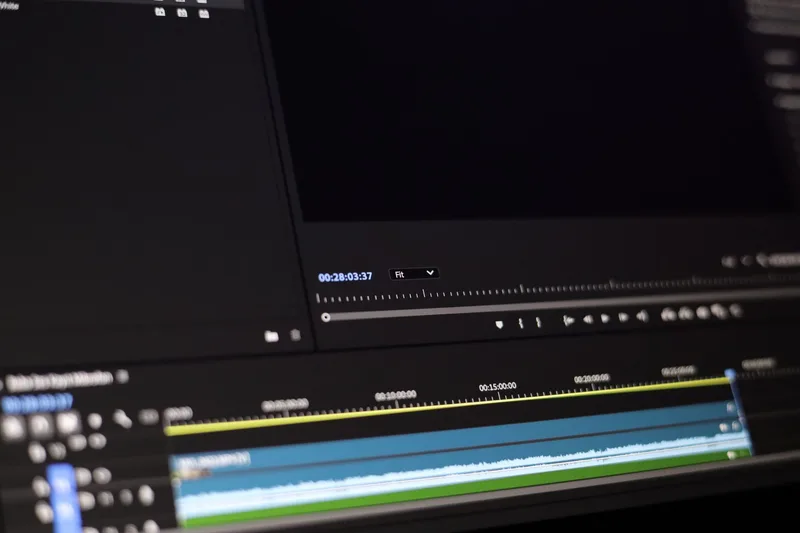
Edit in CapCut or DaVinci Resolve. Cut to audio. Add text overlays at key points. Export at 1080p minimum. No transitions needed for your first 10 videos.
Create a thumbnail. Bold text on a high-contrast background. Legible at thumbnail size (about 240px wide in search results). Copy the layout of thumbnails that perform in your niche – not the design, the compositional structure.
Upload with optimized metadata. Title includes the exact keyword you’re targeting. Description opens with the keyword in the first sentence. Add 3-5 tags that match real search queries.
This workflow takes 2-4 hours for a first video. By video 10, it should take under 90 minutes. For Instagram Reels and TikTok, the same workflow applies at shorter duration – 15-60 seconds instead of 5-10 minutes, and text-overlay formats work better than voiceover-heavy scripts.
Step 6: Analyze After Your First 10 Videos
Most new creators pivot to a different niche after seeing slow growth in the first month. That’s the wrong move. Ten videos is not enough data for any platform’s algorithm to understand what your channel is. It’s enough data for you to understand what’s working.
After 10 videos, look at these three numbers in YouTube Analytics (or your platform’s equivalent):
Click-through rate (CTR). Below 2-3% on YouTube means the thumbnail or title isn’t compelling people to click. Test one variable at a time – change the thumbnail style on 3 videos, then change the title format on the next 3. Don’t change both simultaneously or you won’t know what moved the needle.
Average view duration. If viewers leave in the first 30-45 seconds, the hook is weak. The first 15 seconds of a video should answer one question for the viewer: “why should I keep watching this right now?” If the answer isn’t obvious, rewatch your intro and cut everything that doesn’t earn the next second.
Which video performed best relative to your subscriber count. Look at views divided by subscriber count, not raw views. The video with the highest ratio is your clearest signal. Make 3 more videos in the same style, on adjacent topics.

Step 7: Build a Repeatable Production System
Once you know your format and have data from 10 videos, stop producing one-off content and start building infrastructure.
The foundation of every sustainable faceless content operation is a content bank – a running list of 30+ pre-researched topic ideas organized by priority. Most creators who burn out do so because every production session starts with the same friction: what should I make today? A content bank eliminates that friction entirely.
Build yours by mining these five sources weekly:
- YouTube autocomplete for your core niche keywords
- Reddit threads in your niche subreddit, sorted by “top this month”
- Google’s People Also Ask for your main keyword
- Comment sections on top-performing competitor videos (look for unanswered questions)
- Your own video comments – viewers tell you exactly what they want to see next
Your content bank should have at least 30 ideas before you start batching multiple videos in a single session. With 30 researched ideas, you can script, record, and edit multiple videos in one block – the highest-leverage workflow for solo creators.
Also establish a basic content strategy and publishing schedule before month two. Commit to a frequency you can actually sustain. One video per week consistently beats three videos per week for two weeks followed by nothing for a month. Platform algorithms reward consistent publishing cadence, not volume spikes.
Once you have the production system in place, start building a content ideas backlog for months ahead. The goal is to never be more than one session away from publishing.
Common Mistakes New Faceless Content Creators Make
1. Starting on All Three Platforms at Once
YouTube, Instagram, and TikTok have different format requirements, algorithm mechanics, and audience behaviors. Trying to optimize for all three simultaneously means producing content calibrated for none of them. Pick one platform, master it, then expand.
2. Buying Tools Before Publishing Anything
Tool paralysis is the single biggest reason new faceless creators never publish. There is no perfect production stack before your first video. Start with free tools and upgrade only when you identify a specific bottleneck that a paid tool solves.
3. Choosing a Niche Based on Personal Interest Alone
Niche selection is a research task, not a personal preference exercise. A niche you enjoy but with minimal search volume produces consistent effort with no organic growth. Research what people are actively searching for before committing to a niche.
4. Treating “No Face” as the Brand Identity
Not showing your face is a production constraint, not a positioning strategy. Viewers need a clear reason to subscribe – who the channel is for, what it covers, what format to expect. Without a consistent content promise, there’s no reason to subscribe versus watching a single video and leaving.
5. Changing Format Every 5 Videos
When early videos don’t get views, the instinct is to change the format. Usually the problem is volume – 5 videos is not enough data for any platform to understand your channel’s category. Commit to one format for at least 20 videos before drawing conclusions about what’s not working.
Frequently Asked Questions
How long does it take to see real results as a faceless content creator?
Most faceless YouTube channels take 3-6 months to see meaningful organic traffic if publishing once or twice per week. Instagram Reels and TikTok can surface new accounts faster; some channels see traction within 30-60 days on short-form platforms. Today, full YouTube ad and Premium entry needs 1,000 subscribers plus 4,000 qualified public long-form watch hours in 12 months or 10 million qualified Shorts views in 90 days. From February 1, 2027, new applicants need 1,000 subscribers plus 8,000 qualified watch hours in 365 days or 20 million qualified Shorts views in 90 days. Existing YPP members keep their entry status and long-form monetization. See YouTube monetization requirements for details. Publishing consistently can help build an audience, but it does not set a reliable date for YPP eligibility. Plan around your actual traffic and costs rather than a fixed payback date.
Do I need to spend money to get started?
No. OBS Studio (screen recording), CapCut (editing), ElevenLabs free tier (voiceover), Canva free (thumbnails), and Pexels (stock footage) cover every production need at zero cost. Money speeds up production time – InVideo AI at around $25/month handles scripting, visuals, and voiceover in one workflow and can cut production time from 3 hours to under an hour per video. That upgrade makes sense after you’ve published 10 videos and confirmed your niche is working.
Can faceless content actually make money?
Yes. Faceless content monetizes through the same channels as any content: YouTube ad revenue, affiliate commissions embedded in tutorial content, brand sponsorships (which pay based on niche CPM, not whether a face appears), and digital product sales. The faceless model also has one structural advantage: the channel isn’t tied to one person’s credibility or attention, which makes it easier to scale with a team, easier to sell as a business, and more consistent to run even when the original creator steps back.
What is the best platform to start on as a new faceless creator?
YouTube if you want search-driven traffic and long-term ad revenue – the content stays relevant for months or years, and rankings compound. Instagram Reels or TikTok if you want faster early distribution and are comfortable with shorter formats – the algorithm serves new accounts aggressively, but content shelf life is days, not months. Both are valid starting points. The question is whether you want compound growth over 12 months (YouTube) or faster feedback loops with higher production volume requirements (short-form).
Is it harder to build trust without showing your face?
No – it’s different. On-camera creators build trust through perceived personality. Faceless creators build trust through consistent accuracy, niche depth, and production quality. The fastest trust signals in faceless content are specificity (exact workflows, not general advice), honesty about what doesn’t work, and output consistency. An audience that comes back because your content is reliably useful is more durable than one that comes back because they like your on-screen energy.
Keep Reading
What to Do Next
Still deciding whether faceless YouTube fits you? Pick the next step that gives you direction, not a sales pitch.
Free spreadsheet
Compare 75 faceless niches side by side
Sort all 75 by CPM range, competition, and production difficulty. Filter to what fits you and pick one.
Free. No spam. Unsubscribe anytime.
Take the 2-min Quiz
Answer 10 questions, get matched to a channel model that fits your time, budget, and tone.
Start the QuizRelated Articles
Faceless Content: Step-by-Step Guide for Every Platform
How to create faceless content on YouTube, Instagram, and TikTok. Step-by-step workflow covering formats, tool stack, and batch production.
How to Make a Faceless YouTube Channel: 8-Step Workflow
How to make a faceless YouTube channel: script, AI voiceover, video editing, thumbnails, and YouTube SEO – one repeatable workflow under $30/month.