In this article
Short-form is the fastest way to grow a faceless brand. It’s also where most faceless creators quit first, not because the format needs a face, but because most guides teach long-form thinking and staple a 9:16 crop on top. Short-form has its own rules: hook speed, caption-first design, and a production loop fast enough to post daily.
Faceless short-form content works because the format rewards information density and pacing, not personality. A voiceover over B-roll, a screen recording with captions, or a hands-only demo can hook a viewer in the first three seconds just as well as a face on camera. Nothing on screen distracts from the payoff.
This guide covers the formats that work without a face, how to write a hook that survives the swipe, and the editing workflow that gets one video onto TikTok, Instagram Reels, and YouTube Shorts without three separate production cycles.
What You’ll Need
- A smartphone with a decent camera (iPhone 12+ or Android equivalent), or screen recording software if you’re doing screen-based content
- A hook script template: a handful of proven opening lines you adapt per video instead of writing from scratch each time
- CapCut (free) or DaVinci Resolve for editing and captions
- An AI voiceover tool (ElevenLabs, Murf) if you’re not narrating in your own voice
- A royalty-free or trending audio source (TikTok’s sound library, Epidemic Sound, or your own voiceover track)
- Native accounts on TikTok, Instagram, and YouTube so you can post to all three without a separate repurposing tool
Step 1: Pick a Faceless-Friendly Short-Form Format
Not every format needs the same setup. Five work consistently well without a face:
Voiceover over B-roll or stock footage. You narrate while relevant footage plays. Works for explainers, list content, and news-style commentary. The visuals support the point; they don’t need to star you.
Screen recording. You walk through an app, a tool, or a workflow while narrating. No camera required at all. Works for tech, productivity, and any digital-product topic.
Text-overlay, no voice. B-roll plays while on-screen text delivers the hook and key points. No microphone, no script read aloud. Works well for high-concept pitches and pure discovery content.
Hands-only demo or POV. Your hands operate the product, or the camera acts as the viewer’s eyes. Works for physical products, food, travel, and lifestyle topics.
AI-generated visuals. Tools like Runway and Pika generate B-roll from a text prompt when you don’t have footage of your own. Useful for abstract or conceptual topics where stock footage falls short.
Pick one format for your first ten videos. Switching formats every video multiplies your setup time and gives the algorithm nothing consistent to learn about your channel.
Step 2: Write a Hook That Survives the First Three Seconds
The scroll is the competition, not other creators. A viewer decides whether to keep watching in the first three seconds, often before your first sentence finishes.
Lead with the outcome or the tension, not a wind-up. “Here’s why your faceless channel isn’t growing” outperforms “So today I wanted to talk about channel growth.” State the specific claim, problem, or result in the opening line, then explain.
Put your hook in on-screen text too, not just the voiceover. A meaningful share of short-form viewers watch with the sound off, especially in the first few seconds before they decide to unmute. If your hook only exists in the audio, muted viewers scroll past before hearing it.
Write three to five hook variations per topic before you script the rest of the video. Testing which hook variation earns better retention is more valuable early on than polishing the video’s middle or end.
Step 3: Script for Vertical Pacing, Not Long-Form Pacing
Long-form scripts build slowly. Short-form scripts cannot afford that. One idea per video, no tangents, no recap of what you’re about to say before you say it.
Length depends on the content, not a fixed rule: 7 to 15 seconds works for pure discovery content built around a trending sound and a text hook. 30 to 60 seconds fits tutorial or educational content that needs a setup, a middle, and a payoff. Beyond 60 seconds only works when there’s a clear narrative arc: a problem, a build, and a resolution.
Cut anything that doesn’t earn the next three seconds of attention. If a sentence in your script doesn’t add new information or escalate the hook, remove it.

Step 4: Source Your Visuals
What you film or source depends on your chosen format from Step 1.
Stock and B-roll: Pexels and Pixabay cover general topics for free. Search specific, not generic; “person typing laptop close up” returns more usable clips than “business.”
Screen recording: Your phone’s built-in screen recorder, or QuickTime on Mac for desktop capture. No additional software needed for the raw capture.
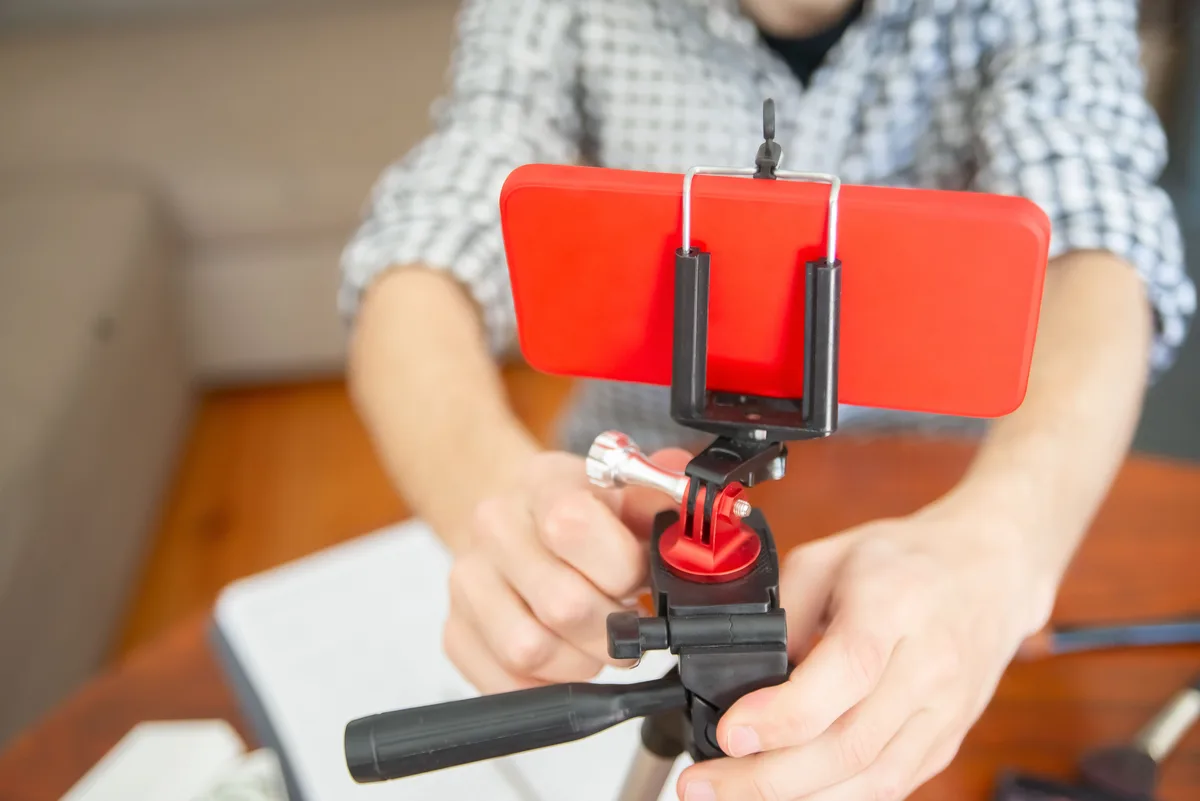
Hands-only or POV filming: A flexible tripod arm ($15 to $20 on Amazon) for overhead product shots. Natural window light or a small ring light. A clean, uncluttered surface or background.
AI-generated B-roll: Runway or Pika for conceptual visuals you can’t film or find as stock. Useful sparingly; overused AI B-roll starts to look generic across every video.
Step 5: Record or Generate Your Voiceover
If you’re narrating yourself, a USB condenser microphone in the $50 to $150 range produces clean audio without a studio. Record in a room with soft furnishings (a closet full of clothes works) to reduce echo.
If you’re using AI voiceover, ElevenLabs and Murf both produce natural-sounding narration from a script. This removes the recording step entirely and keeps your identity out of the audio as well as the video.
Whichever route you choose, captions are not optional. Burn captions into every video, whether you’re narrating, using AI voiceover, or running text-only. Viewers who watch muted, viewers with hearing loss, and viewers scrolling in a quiet public place all depend on captions to follow the video at all.
Want the production system behind these channels? The Complete Channel Launch Pack gives you 10 channel blueprints, setup prompts, thumbnail concepts, and a 30-day starter plan so you can start from a picked channel instead of a blank page. Get it for $9 →
Step 6: Edit and Caption Once, Export for All Three Platforms
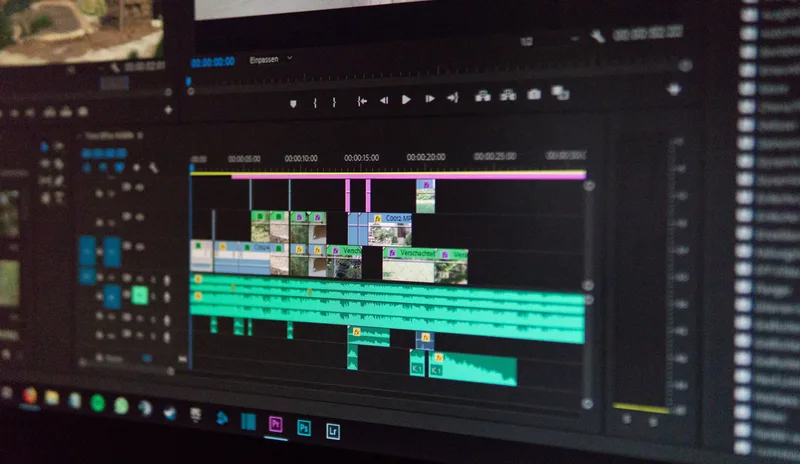
Edit at a 9:16 vertical frame regardless of your final destination. CapCut and DaVinci Resolve both handle vertical editing natively.
- Import your clips or screen recording and trim to length
- Add captions using the auto-caption tool, then review manually. Auto-captions misread names, numbers, and niche terminology often enough that a manual pass is worth the extra few minutes
- Add your audio track (voiceover, trending sound, or royalty-free music)
- Add on-screen text for your hook in the first frame
- Export at 1080x1920
The same exported file works across TikTok, Instagram Reels, and YouTube Shorts natively. All three platforms accept the same 9:16 vertical format and comparable length ranges (YouTube Shorts supports videos up to 3 minutes long, per YouTube’s own Shorts documentation), so one edit produces three posts instead of three separate production cycles.
Step 7: Post Natively and Build a Repeatable Loop
Post the same edited file to all three platforms rather than picking one and repurposing later. Your TikTok audience and your Instagram audience are largely different people, so the same video reaches new viewers on each platform instead of repeating itself to the same crowd.
Track completion rate and rewatches over raw view count. A video with fewer views but a high completion rate signals a strong hook and pacing, which is what the algorithm rewards with further distribution on the next upload.
Batch your production. Script five hooks and five short scripts in one sitting, then film and edit them in a single block. This turns short-form from a daily scramble into a weekly system, which is the difference between posting consistently and burning out after two weeks.
For the broader batching and scheduling system that keeps a faceless channel publishing without daily improvisation, see Faceless Content Strategy.
Common Mistakes to Avoid
Treating short-form like shrunk-down long-form. A slow “hey guys, welcome back” opening kills retention in a format where three seconds decides whether the viewer stays. Cut straight to the hook.
Skipping the manual caption review. Auto-captions get names, numbers, and niche terms wrong often enough that an unreviewed caption track looks careless and undermines credibility, especially in tutorial or educational formats.
Producing separately for each platform. Filming or editing three different versions for TikTok, Reels, and Shorts triples your workload for no real benefit. One vertical edit posted natively to all three is the faster, more sustainable system.
Chasing view count instead of completion rate. A high view count with a low completion rate means your hook works but your content doesn’t hold attention. Fix the middle of the video, not just the opening line.
Posting once and stopping. Short-form rewards consistency more than any single video’s performance. One great video does not replace a repeatable weekly production system.
Frequently Asked Questions
What is faceless short-form content?
Faceless short-form content is vertical video under a few minutes, built for TikTok, Instagram Reels, or YouTube Shorts, that never shows the creator’s face. Voiceover over B-roll, screen recordings, hands-only demos, and text-overlay formats all qualify, and all perform on par with face-on-camera short-form when the hook and pacing are strong.
Do you need to show your face to grow on TikTok, Reels, or YouTube Shorts?
No. All three platforms reward watch time and completion rate, not whether the creator appears on screen. Faceless formats like screen recording, voiceover-over-B-roll, and hands-only demos compete directly with face-on-camera content in the recommendation algorithm.
How long should a faceless short-form video be?
It depends on the content type. 7 to 15 seconds fits pure discovery content built around a trending sound and hook. 30 to 60 seconds fits tutorial or educational content. Beyond 60 seconds only works with a clear narrative arc, since attention drops without one.
Can you post the same faceless short-form video to TikTok, Reels, and YouTube Shorts?
Yes. All three platforms accept the same 9:16 vertical format and comparable length ranges, so one edited file can go out natively to all three without separate production cycles. This is the fastest way to multiply reach from a single piece of faceless content.
What’s the easiest faceless short-form format to start with no experience?
Text-overlay content with B-roll and no voiceover has the lowest barrier: no microphone, no on-camera presence, and no script to read aloud. Stock footage from Pexels or Pixabay paired with a trending sound and a clear on-screen hook is enough to publish a first video the same day.
Ready to build your first faceless channel? The Complete Channel Launch Pack gives you 10 channel blueprints, setup prompts, thumbnail concepts, and a 30-day starter plan so you can start from a picked channel instead of a blank page. Get it for $9 →
Keep Reading
What to Do Next
You picked a model. Now ship video 1. Concrete sequence beats more research.
Get the Video 1 Plan Worksheet
6-section worksheet: idea, script outline, scenes, voice, thumbnail, upload day. 40 minutes of focused work and video one is recorded. Free PDF.
Free. No spam. Unsubscribe anytime.
Take the 2-min Quiz
Get matched to a model that fits your time, voice tone, and topic. Then use the bridge into a production kit.
Start the QuizComplete Channel Launch Pack
10 channel blueprints, setup assets, thumbnail prompts, and the starter plan in one bundle.
$9 $19 53% off Lowered for first-time creators.