In this article
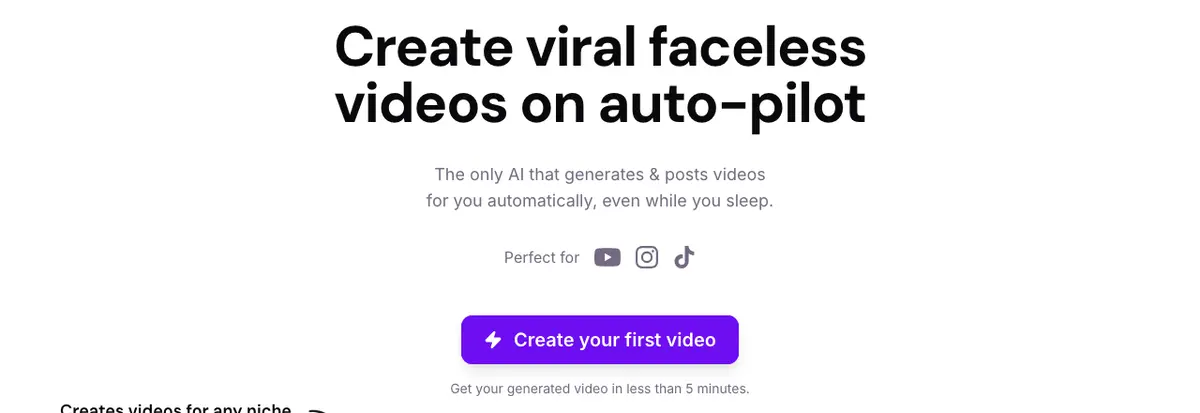
FacelessReels promises videos that post themselves.
You pick a niche, connect your accounts, and the tool makes and publishes short videos while you sleep. That is a big promise, and the homepage backs it with numbers it does not prove. This review covers what the tool does, what its public pages leave out, and the platform rules that decide whether auto-posted videos earn anything.
One note first. We did not run an account through FacelessReels for this review. Everything below comes from its public pages (read on 23 November 2026), the platforms’ own policies, and one public user experiment. Where a limit is not published, we say so. This page has no affiliate links.
What Is FacelessReels and How Does It Work?
FacelessReels is an AI app that generates short faceless videos and publishes them to connected YouTube, Instagram and TikTok accounts. Its homepage says a first video arrives in under 5 minutes and claims “2.1M+ users.” Both figures are the vendor’s own and are not independently verified.
FacelessReels is a subscription tool built around one idea: take the whole job off your plate. Per its FAQ, the AI handles “scripting, editing, voiceover, and posting.”
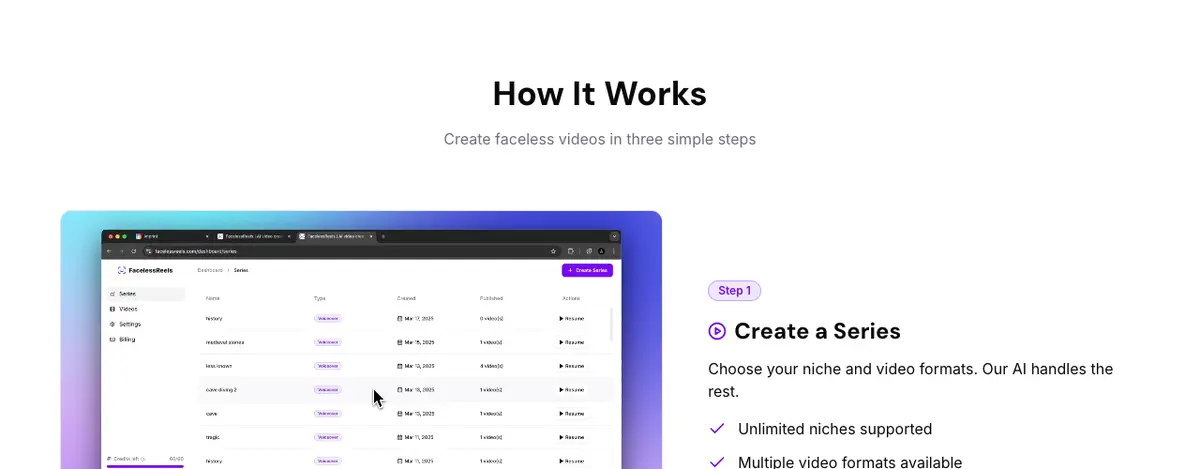
The setup runs in three steps, according to the FacelessReels homepage:
- Create a series. A series is “a collection of videos in the same niche.” You choose the niche and the video formats.
- Customize. You pick an art style and add music. You can upload your own track or paste a TikTok sound link.
- Connect accounts. The tool posts for you on Instagram, TikTok and YouTube.
The niche list on the homepage is telling. It names mythology, school gossip, scary stories, history, acts of kindness, biblical stories, anime stories and heists. These are story formats with illustrated scenes and a narrator. There is no mention of tutorials, product demos or talking-head replacements.
Which Limits Does FacelessReels Publish?
FacelessReels publishes almost no hard limits on its public pages. As of 23 November 2026 the homepage shows no price, its FAQ says video limits “depend on your subscription plan,” and the pricing page it points to returned a 404. Export formats and posting caps are not stated anywhere we could read.
This is the weakest part of the tool for a buyer, so here is the full list of what we looked for and what we found.
| Question a buyer asks | What the public pages say | Status |
|---|---|---|
| What does it cost per month? | No price on the homepage; the FAQ says to “check our pricing section” | Not published |
| How many videos per month? | “Depends on your subscription plan” | Not published |
| What export format and resolution? | Nothing stated | Not published |
| How many posts per day can it publish? | Nothing stated | Not published |
| Which platforms? | Instagram, TikTok, YouTube | Published |
| Can I bring my own music? | Yes: upload a file or enter a TikTok sound link | Published |
| Is there a free trial? | The terms say a trial “may be provided” and converts to paid if not cancelled | Unclear |
| Can I get a refund? | No | Published |
Source: FacelessReels homepage, terms of service and refund policy, read 23 November 2026.
Two things follow. First, you cannot price this tool before you sign in. Second, the “per video” comparison on the homepage, which says freelance editors cost “$50-200 per video,” has no matching FacelessReels price next to it. Compare against your real monthly cost, not the vendor’s claim.
The terms add one more cost: “premium credits.” Per section 4.8, these are one-time credits used to “animate and regenerate images,” they stay until used, and they are separate from your subscription allowance. A new paid subscriber gets a one-time welcome grant of them, per section 4.9. How many credits a normal series burns is not published.
How Does the Auto-Posting Work, and Is It Safe for Your Accounts?
FacelessReels says it is “officially integrated” with TikTok, Instagram and YouTube, gets “very limited access” to your accounts, and never asks for your password. Its own FAQ also tells users to warm up accounts for 2 days and manually upload the first few videos, which admits that fully hands-off posting is not the safe default.
The connection claim is the vendor’s wording on its FAQ. We cannot verify the permission scope without an account, so treat it as a claim. The terms do tie YouTube publishing to the YouTube API Services and to YouTube’s Terms of Service (section 1.5), which is a normal setup for a scheduling tool.
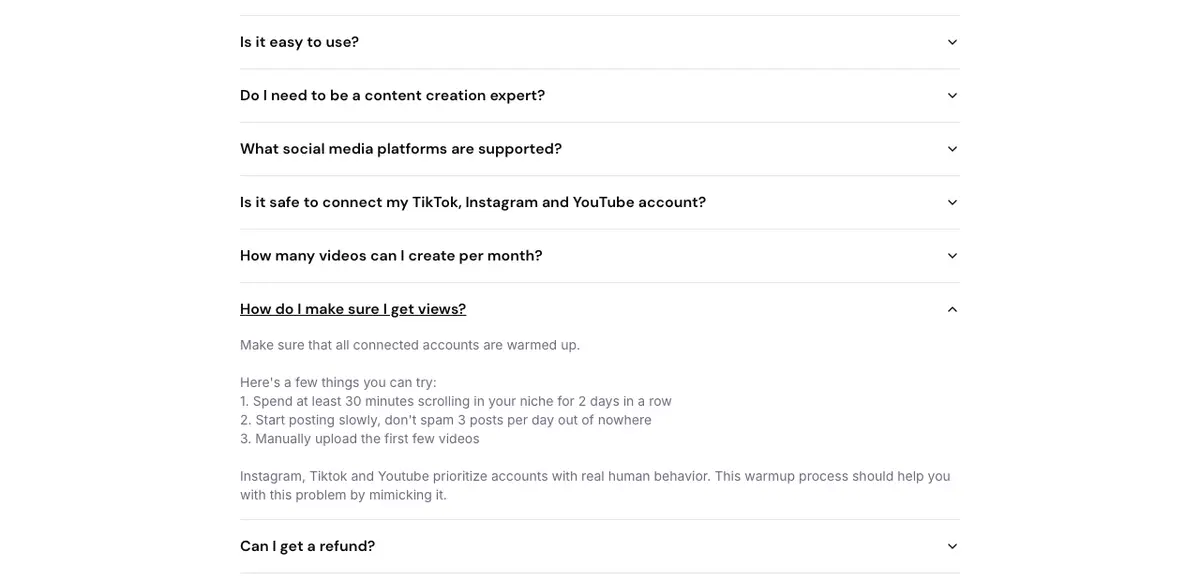
The more useful passage is the FAQ answer to “How do I make sure I get views?” It reads like a warning:
- Spend at least 30 minutes scrolling in your niche for 2 days in a row.
- Start posting slowly. Do not “spam 3 posts per day out of nowhere.”
- Manually upload the first few videos.
The vendor’s stated reason is that Instagram, TikTok and YouTube “prioritize accounts with real human behavior.” So the pitch is “even while you sleep,” but the advice is to act like a human first. Both can be true. They are just not the same promise.
There is also the user’s side of the contract. Section 7.3 of the terms says you are responsible for making sure your content follows each platform’s rules. If a platform limits your account, that risk sits with you, not the tool.
One user ran this kind of tool in public. A poster on r/YT_Faceless started a “faceless reels channel” in October 2026 using an automated app that creates and posts videos, and promised updates (Reddit, 5 October 2026). The post does not name the app, and the part we found has no results yet. It is a reminder that independent proof for this category is thin.
Will YouTube, Instagram and TikTok Reward Auto-Generated Videos?
Not by default. YouTube renamed its “repetitious content” policy to “inauthentic content” on 15 July 2025 and says it covers repetitive or mass-produced content, which is ineligible for monetization. Instagram’s recommendations favor original content with no visible watermarks, and TikTok asks creators to label AI-generated video.
This is the question that matters more than any feature. A tool can post on schedule and still earn nothing if the platform treats the output as mass-produced.
Here is what each platform says in its own words:
- YouTube. Per the YouTube channel monetization policies, the July 2025 update clarifies that inauthentic content “includes content that is repetitive or mass-produced.” Such content “has always been ineligible for monetization.”
- Instagram. In an April 2024 post, Instagram said eligible recommended content must be original, have no visible watermarks and satisfy its recommendation guidelines. It also said it removes aggregators from recommendations (Instagram for Creators).
- TikTok. TikTok’s AI-generated content page encourages creators to label content that is fully generated or significantly edited by AI.
FacelessReels’ format is a repeatable series in one niche. That is exactly the shape YouTube’s wording points at. It does not mean a series is banned. It means a series with the same template, the same voice and thin variation is the case to worry about. Our guide to YouTube’s inauthentic content policy for faceless AI channels walks through which formats carry the most risk.
Building the smallest stack that can publish consistently? The free Tool Stack Calculator matches a lean setup to your budget, niche, and publishing pace, so you do not pay for an autopilot you do not need. Free calculator and plan →
What Happens If You Want Your Money Back?
FacelessReels does not offer refunds. Its refund policy says no refunds are given for any subscription “whether used or unused,” except where the law requires one, and its FAQ blames “high generation costs for AI videos.” You can cancel any time, but the current billing period is not refunded.
This is clear and consistent across the homepage FAQ, the refund policy and the terms of service. That honesty is a point in its favor. It also means you cannot test the tool risk-free.
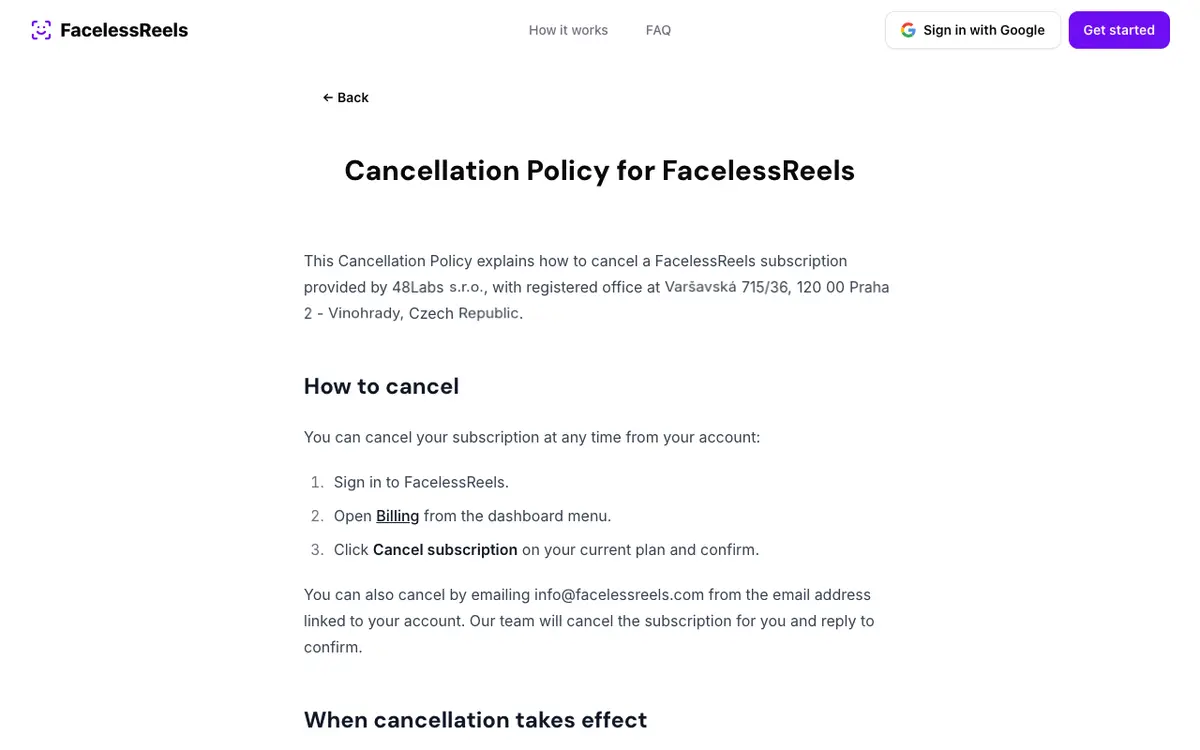
Cancelling is simple, per the cancellation policy:
- Sign in and open Billing from the dashboard menu.
- Click Cancel subscription on your plan and confirm.
- Your plan stays active until the end of the period you paid for, and you can undo the cancellation before then.
You can also cancel by email from the address linked to your account.
Two terms are worth reading before you pay:
- You own your videos, but the vendor gets a marketing license. Section 6.3 grants FacelessReels a perpetual, worldwide license to use your generated content for marketing. You can ask for removal, and the vendor may keep using it for up to 30 days after the request.
- The service can change. Section 2.3 lets the provider modify, suspend or discontinue any part of the service at any time.
If you wanted a tool you could judge on a free month, this is not it. Budget for one full billing period as the cost of finding out.
What Are the Pros and Cons of FacelessReels?
FacelessReels is strongest as a fast way to test one story-style niche on three platforms. It is weakest on published limits, price transparency and monetization risk. Without a free trial or refund, the cost of testing it is one full billing period.
Pros:
- One workflow covers script, voice, visuals and posting. The FAQ says the AI handles all four, which removes the stitching work of a normal faceless stack.
- Three platforms from one setup. Instagram, TikTok and YouTube are all supported, so a single series can feed all three.
- Bring your own music. You can upload audio or paste a TikTok sound link, though section 7.5 makes you responsible for the rights.
- Plain cancellation and refund rules. Both are stated openly and match across pages.
- It tells you to warm up accounts. The FAQ gives a realistic start plan instead of promising instant reach.
Cons:
- No public price or video limits. You cannot compare cost per video before signing in.
- No refunds. There is no free test period that we could confirm.
- Series-style output invites inauthentic-content review. Repetition is the risk YouTube names.
- Marketing license on your content. You grant the vendor wide rights to reuse your videos.
- Vendor claims are unproven. The “2.1M+ users” and “millions of views” lines come with no data to check.
Who Should Use FacelessReels, and Who Should Skip It?
Use FacelessReels if you want to test one story-format niche across three platforms and accept a no-refund month. Skip it if you want a monetized YouTube channel with original value per video, need a published price first, or want control over each scene and script.
It fits you if you already know the niche you want, you are fine with illustrated story videos, and you will manually post the first few clips as the FAQ advises. Treat the first month as a paid experiment with a stop date.
Skip it if your plan is a YouTube channel that must pass monetization review. In that case, an editor you control matters more than an autopilot. Our AI YouTube Shorts generators ranking compares tools by edit control and policy risk, and the faceless YouTube automation guide covers where automation helps and where it hurts.
If you are still choosing a platform, Instagram Trial Reels lets you test a new format on non-followers before your main page sees it. That is a cheaper way to learn whether a story format works at all.
Before you pay, do three checks yourself. Sign in and read the plan page for the video limit and credits. Check the export settings on a first test video. Then read the platform rules above and decide how much variation you will add to each series.
Frequently Asked Questions
Is FacelessReels worth paying for?
It is worth a one-month test only if you accept the terms. There is no published price, no confirmed free trial and no refund, per its refund policy. Judge it on one series of about a dozen videos, then cancel or continue.
Can FacelessReels videos be monetized on YouTube?
Possibly, but nothing guarantees it. YouTube says repetitive or mass-produced content is ineligible for monetization, per its July 2025 policy update. A series built from one template is the risky case. Add original script, voice or visuals to each video.
Does FacelessReels post automatically to Instagram, TikTok and YouTube?
Yes, per its homepage, after you connect your accounts. Its FAQ still advises warming up accounts for 2 days and uploading the first few videos by hand, so plan a manual start rather than switching on full autopilot at once.
Keep Reading
What to Do Next
Don't pay for a stack you don't need yet. Start with the cheapest workable setup.
Get the Tool Stack Plan
3 tiers ($0, $30, $100), 12 tools, upgrade triggers per tier. Decide once, stop hopping. Free PDF.
Free. No spam. Unsubscribe anytime.
Browse the Tools Hub
Free YouTube tools: name generator, title generator, money calculator, thumbnail preview. No signup.
Open Tools HubComplete Channel Launch Pack
10 channel blueprints plus setup assets so you can spend less time choosing tools and more time shipping.
$9 $19 53% off Lowered for first-time creators.