In this article
Pictory turns scripts into reviewable video drafts fast.
No timeline. No manual footage hunt. Paste a script, let the AI assign stock clips to each sentence, swap the footage that misses, and export. A 5-minute YouTube video typically takes 15-30 minutes to produce once your script is ready.
That is the whole pitch. Whether it fits your workflow depends on what kind of faceless channel you are building.
What Is Pictory AI?
Pictory is a browser-based AI video platform that turns scripts, blog posts, images, audio files, and recordings into scene-by-scene videos. It auto-selects stock footage, generates captions, supports AI voiceover, and handles basic editing in one workflow. For faceless creators, it fits narration-heavy YouTube and blog repurposing better than short-form or cinematic content.
Pictory was built around a single workflow: take text and make it a video.
Input formats the platform accepts:
- Written scripts
- Blog post or article URLs
- Audio files
- Image sequences
- PowerPoint presentations
- Screen recordings (beta)
For each input, Pictory splits the content into scenes, pulls stock footage from its library to match each scene, syncs or generates audio, adds captions, and delivers an export-ready video.
The platform is browser-based. No download required. The editor is simple enough that a creator with no production background can produce a watchable draft on their first session.
That accessibility is Pictory’s real value. It does not produce the highest-quality AI video output available. It produces consistently usable output with the least friction in the workflow.
Per Pictory’s own site, the platform is rated 4.7/5 on G2 across its user base. The most common praise in user reviews is time saved getting from a written idea to a finished video.
For the broader AI stack around Pictory, read the best AI tools for faceless content.
Pictory AI Features That Matter for Faceless Creators
The Pictory features most relevant to faceless YouTube creators are script-to-video, URL-to-video, transcript-based editing, auto captions, highlights extraction, and multi-format export. These cover the core scripted narration workflow and blog repurposing without needing a separate editing tool.
Script to Video: The Core Workflow
This is where most faceless creators will spend most of their time.
Paste a script into Pictory’s Script to Video input. The platform splits the text into scenes, automatically selects stock footage from its library to match each line, and generates a layout with your chosen voice (AI-generated or uploaded) and captions.
The practical workflow for faceless YouTube:
- Write your script outside Pictory.
- Paste into Script to Video.
- Let Pictory generate the initial scene layout.
- Review each scene and replace footage clips that do not fit.
- Adjust timing, audio volume, and caption style.
- Export in 16:9 for YouTube.
The AI’s footage selection handles specific, concrete subjects well: cities, activities, objects, everyday situations. It struggles with abstract concepts and niche topics where stock coverage is thin.
The edit pass, where you swap mismatched footage, runs about 10-20 minutes for a 5-7 minute video once you have the workflow dialed in. That is faster than building from a blank timeline for most creators.
URL to Video: Blog-to-YouTube Repurposing
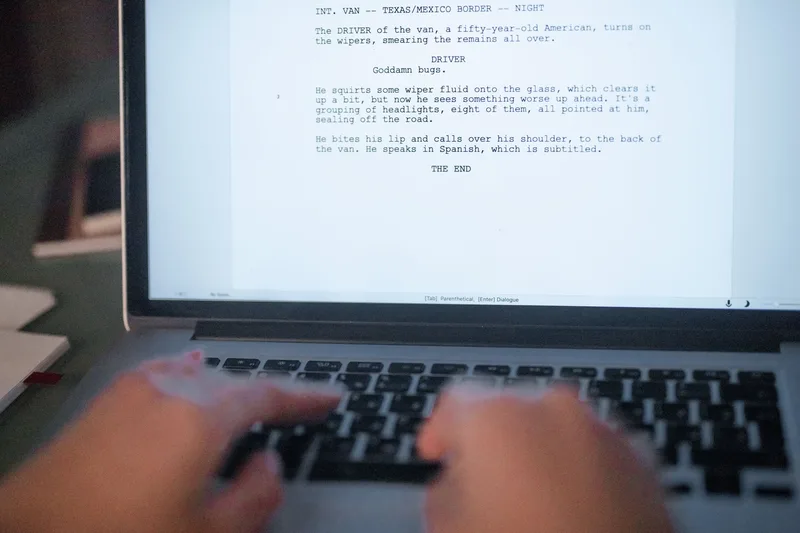
URL to Video takes a live blog post or web article and converts it into a video.
Pictory imports the article content, lets you select which sentences become scenes (rather than auto-converting the entire page), and then runs the same script-to-video generation pipeline.
This is useful in two situations:
- You run a blog or newsletter and want YouTube videos to accompany each post.
- You want to repurpose structured written content into video without rebuilding the outline.
The selective sentence import matters. Auto-importing an entire article pulls nav text, headers, and boilerplate if you are not careful. Pictory’s pre-generation review step lets you clean that up before it becomes a problem.
A blog post in the 800-1,500 word range typically converts to a 3-7 minute YouTube explainer with this workflow.
AI Video Editor: Edit by Transcript
Pictory’s video editor is different from traditional timeline-based editors. You edit the transcript, and the video responds.
Delete a sentence from the transcript. The scene disappears. Reorder a line. The scene moves. Trim the transcript to tighten pacing. The exported video reflects those cuts exactly.
For faceless YouTube channels running a narration-first format (voiceover driving the story, stock footage filling the visual layer), this transcript-based editing is faster than dragging clips on a timeline.
Additional tools available inside the editor:
- Filler word and silence removal — one-click stripping of pauses and filler words from uploaded or recorded audio
- Auto captions — subtitles generated from speech, editable by text and style-customizable
- Highlights and clips extraction — identify the strongest 30-90 second segments and export as Shorts or Reels
For faceless creators running both long YouTube and Shorts from the same recording or script, the highlights tool handles the Shorts cut without a separate editing session.
Stock Footage, Audio, and Brand Kit
Three supporting features that reduce the production checklist for regular publishers:
Stock footage library: Pictory’s library covers standard business, lifestyle, technology, and nature categories. For educational niches (finance, productivity, history, health, how-to), it provides adequate coverage. For hyper-specific or creative visual niches, the library runs thin. The workaround is uploading your own footage or AI-generated clips alongside library stock, using Pictory’s library as filler where specific visuals are not available.
Audio and AI voiceover: Pictory includes AI voiceover generation with multiple voices and language options. For creators who do not want to manage a separate text-to-speech subscription for basic narration, this removes one tool from the stack. Voice quality is functional rather than premium. For natural-sounding narration at scale, dedicated voice tools like the ones listed in the best AI tools for faceless content guide offer more flexibility.
Brand kit: Add your channel logo, colors, and intro/outro once. Every export applies the brand settings automatically. For creators publishing multiple videos per week, this prevents inconsistency without adding manual steps to each project.
Pictory AI Pros and Cons
What Works
- Script to finished draft in one session. No editing background required. The AI handles stock selection and layout, and the edit pass is faster than any timeline-based alternative for scripted narration content.
- Blog repurposing without rebuilding outlines. URL-to-video converts existing written content into YouTube videos without starting from scratch. Useful for content operators with an existing publishing workflow.
- Transcript-based editing is genuinely faster. For narration-driven videos, editing by text instead of a timeline removes a skill ceiling that stops many new creators from publishing consistently.
- Auto captions and multi-format export. Built-in subtitle generation and aspect ratio switching handle the basic distribution checklist without separate tools.
- Built-in AI voiceover. For creators who do not need premium voice quality, Pictory’s voiceover covers basic narration without a separate TTS subscription.
What Does Not Work
- Stock footage ceiling. For channels that need cinematic b-roll, creative visual storytelling, or strong visual style consistency, the library is limiting. Channels using Pictory exclusively can start to look similar because they draw from the same footage pool.
- Not for short-form native content. TikTok and Reels-first creators will find CapCut AI video generator more efficient. Pictory is organized around longer scripts, not hook-first vertical video.
- Export quality is plan-dependent. Full HD output and higher-resolution exports are tied to paid plans. Starter plan limits apply.
- Niche topics get generic coverage. If your channel covers specific emerging technologies, unusual hobbies, or culturally specific content, the stock library frequently returns irrelevant visuals that need manual replacement.
Want the production system behind these channels? The Complete Channel Launch Pack gives you 10 channel blueprints, setup prompts, thumbnail concepts, and a 30-day starter plan so you can start from a picked channel instead of a blank page. Get it for $9 →
Pictory AI Pricing
Pictory uses a tiered pricing model based on monthly video minutes. Per Pictory’s pricing page, plans start at around $19/month for a single user with approximately 200 video minutes per month. Higher tiers add more video minutes, HD export, team collaboration, and brand kit features.
Check pictory.ai/pricing directly for current rates. The platform runs promotional pricing regularly, including annual plan discounts.
There is a free trial that does not require a credit card, which is the right way to test whether the script-to-video workflow fits your channel before committing.
Pictory AI: The Verdict
Who Pictory Is For
Best match for these creators:
- Faceless YouTube channels that produce scripted narration content — finance, productivity, history, education, how-to
- Blog or newsletter operators who want to convert written content into YouTube videos without a separate production workflow
- New creators who have no video editing experience and need to ship consistently without a steep learning curve
- Anyone publishing 4 or more YouTube videos per month who cannot justify hiring an editor
Not the right fit:
- Short-form native TikTok and Reels creators — CapCut AI video generator handles vertical-first workflows better
- Channels that need cinematic b-roll or a distinct visual identity
- Creators who want AI avatar presenters — Synthesia AI video generator fits that use case
- Gaming, reaction, and personality-driven channels where the visuals are the product, not the narration
Pictory’s competitive edge is the script-to-draft speed. The draft needs editing. The stock footage needs review. But it consistently beats starting from a blank timeline for scripted, narration-heavy faceless content.
For the full picture of how Pictory fits into a complete faceless creator stack, read the best AI tools for faceless content.
Frequently Asked Questions
Is Pictory AI free? Pictory offers a free trial that does not require a credit card. The trial has limits on video minutes and export quality. Paid plans start at approximately $19/month per their pricing page — check pictory.ai/pricing for current rates since promotional pricing runs regularly.
Is Pictory good for YouTube? Yes, specifically for narration-driven educational YouTube channels. It handles script-to-video and blog-to-video faster than any timeline-based editor for that content format. It is less effective for channels that need high-production-value visuals or short-form-native content.
Does Pictory include AI voiceover? Yes. Pictory includes built-in AI voiceover with multiple voices and languages, so basic narration does not require a separate TTS tool. For more natural-sounding or premium voice quality, dedicated voice tools are available as an addition.
How does Pictory compare to CapCut for faceless content? They fit different workflows. Pictory is stronger for longer-form scripted YouTube content and blog repurposing. CapCut is stronger for short-form vertical video, TikTok, and Reels-native editing. Most serious faceless creators end up using both for different content types.
What types of videos does Pictory produce best? Educational explainers, listicle-style YouTube videos, how-to content, product walkthroughs, blog repurposing, and training materials. Any format where narration drives the story and stock footage fills the visual layer performs well. Creative, cinematic, or personality-driven formats perform less well.
Keep Reading
What to Do Next
Don't pay for a stack you don't need yet. Start with the cheapest workable setup.
Get the Tool Stack Plan
3 tiers ($0, $30, $100), 12 tools, upgrade triggers per tier. Decide once, stop hopping. Free PDF.
Free. No spam. Unsubscribe anytime.
Browse the Tools Hub
Free YouTube tools: name generator, title generator, money calculator, thumbnail preview. No signup.
Open Tools HubComplete Channel Launch Pack
10 channel blueprints plus setup assets so you can spend less time choosing tools and more time shipping.
$9 $19 53% off Lowered for first-time creators.