
In this article
A VTuber performs through an animated avatar. No face reveal, but still a face on screen.
That trade-off is the entire appeal. You get the connection of a visible host, personality, reactions, a recognizable character, without ever showing your actual face.
This guide covers the full setup: picking an avatar type, getting that avatar for free or paying for one, the tracking and streaming software, and the avatar rights question most beginner guides skip entirely. By the end you will know exactly what to buy, what to skip, and what to read before you sign anything.
What You’ll Need
- A webcam or phone. Either tracks your face movement to drive the avatar.
- An avatar. Free, premade, or commissioned. Step 3 covers all three routes.
- Tracking software. VTube Studio for 2D, VSeeFace for 3D VRM models.
- Streaming or recording software. OBS Studio, free on Windows, macOS, and Linux.
- A microphone. Your voice carries the whole performance. A USB mic beats a laptop mic, but either works to start.
- A quiet room. Same rule as any voice-driven format: soft surfaces, no hum from fans or AC.
Step 1: Decide If VTubing Fits Better Than Voice-Only Faceless
This is the decision to make before you spend a dollar.
VTubing still needs a performing, visible character on screen, just not your real face. It takes more setup than a voice-only channel: an avatar, a tracking rig, and a mic that is always live during recording, not just during a quick voiceover pass.
Pick VTubing when your content benefits from a reactive, animated presence: gaming commentary, reaction content, talk-show formats, or any format where facial expression and timing matter to the viewer.
Pick voice-only faceless when your content is narration over footage: explainers, documentary-style videos, listicles, or anything where a recorded or AI voiceover carries the information without needing a face, animated or not, reacting in real time.
Neither path requires showing your actual face. VTubing is a louder commitment: more gear, more setup time, and a character identity to maintain across every video. If you are still weighing whether any face-free format fits your channel at all, the Face or Faceless Decision Tree walks through voice-only, hands, screen, avatar, and hybrid formats side by side before you lock in.
Step 2: Choose Your Avatar Type
Three avatar types cover almost every VTuber on the platform. Each has a different cost and skill floor.
| Avatar type | What it is | Typical cost to start | Setup effort |
|---|---|---|---|
| PNGtuber | A handful of static images (idle, talking, blinking) that swap based on your mic input | $0 to $50 for art | Lowest. No rigging or 3D modeling needed |
| Live2D | A 2D illustration rigged with movable parts so it tracks your face in real time | $0 (free base model) to $5,000+ (custom pro rig) | Moderate. Needs a rigged model plus tracking software |
| 3D (VRM) | A full 3D avatar, usually built in VRoid Studio or similar, tracked in 3D space | $0 (VRoid Studio is free) to several hundred dollars for a custom model | Higher. More demanding on hardware and tracking setup |
A PNGtuber is not a lesser VTuber. It is a VTuber that uses the simplest avatar technology: a small set of images instead of a rigged model. If your channel is new and you are not sure VTubing will stick, start here. You lose nothing by starting cheap.
Live2D is the most common choice for solo creators because the software and tracking tools built around it are mature and mostly free. 3D avatars look more dynamic in motion but need more processing power and a steeper setup.
Step 3: Get an Avatar, Free or Paid
You have three real options, not just “free or expensive.”
1. Build one yourself for free. VRoid Studio is a free tool from Pixiv for building a 3D avatar from scratch, no modeling experience required. It is the fastest path to a usable avatar at zero cost. Mobile apps like PRISM also let you start as a PNGtuber in minutes using built-in default characters, with a free tier that covers a basic setup.
2. Buy a premade model. Marketplaces like Booth and Gumroad sell ready-made Live2D and 3D models, often for well under $100. Read the license on the listing page before buying. Some premade models restrict you from reselling or transferring the rights, and some are sold to multiple buyers, meaning other streamers may use the same base look.
3. Commission a custom model. Industry pricing guides put a basic Live2D commission (simple rig, limited expressions) around $200 to $500, a mid-tier rig around $500 to $1,500, and a pro-tier rig with full-body tracking and multiple outfits at $2,000 or more. Treat these as rough market ranges. Get quotes from two or three artists whose portfolios you like before committing.
Whichever route you pick, a premade AI talking-head tool like Synthesia is a different product entirely: it generates a photorealistic presenter speaking your script, not a stylized character you perform live through. VTubing and AI avatar video are solving different problems. One needs a performer behind the mic in real time; the other does not.
Step 4: Know Your Avatar Rights Before You Commit
This is the step most beginner guides skip, and it matters most once your channel starts earning anything.
When you commission a model, the artist who made it holds the copyright by default unless your contract says otherwise. A commission can give you either a full transfer of rights or only a license to use the model under agreed terms. Those are different outcomes. Under a license, the artist can still restrict how you use the avatar even after you have paid for it.
Before you pay a deposit, get clear answers in writing on:
- Commercial use. Does the agreement cover monetized streaming, Superchats, and sponsored content, or only personal, non-monetized use?
- Exclusivity. Is the design yours alone, or can the artist resell the same base model to someone else?
- Source files. Do you get the editable rig, textures, and files, or only the finished export?
- Revisions and transfer. Can you get the model updated later, and can you take it with you if you switch platforms or move to an agency?
Premade and base models carry the same questions. A buyer does not automatically get full rights just by purchasing a listing. One well-known public dispute between a VTuber and an avatar’s original creator centered on exactly this: the creator permitted commercial use but did not allow full transfer of the character’s rights to a third party. Read the license before you build a channel identity around a face you do not fully own.
Not sure how visible you need to be? Use the free Face or Faceless Decision Tree to compare voice-only, hands, screen, avatar, fully faceless, and hybrid formats. Free decision guide.
Step 5: Set Up Tracking Software
Tracking software reads your webcam feed and maps your face movement onto your avatar.
For 2D Live2D models, use VTube Studio. The base app is free with full features. Webcam tracking shows a small watermark unless you buy the optional “Remove Watermark” add-on, listed at $14.99 on Steam. Commercial use, including YouTube, Twitch, and Superchats, is allowed under its license.
For 3D VRM models, use VSeeFace, a free Windows tool built specifically for VRM and VSFAvatar tracking.
If you built your model in Cubism, the free version has real limits worth knowing before you hit them: it caps texture size, the number of moving parts, and export resolution, and restricts commercial use to general users and small-scale enterprises under a set annual revenue threshold, per Live2D’s own comparison page. Most beginners never hit these caps. If you do, Cubism Pro removes them and currently ships with a 42-day free trial.
Step 6: Set Up Streaming or Recording Software
OBS Studio is free, open source, and runs on Windows, macOS, and Linux. It is the standard choice for capturing your avatar window and mic audio together, whether you are live streaming or recording for upload.
Add your avatar software as a window capture source, add your microphone as an audio input, and set your output resolution to match your platform’s recommendation. Test a short recording before your first real stream. Confirm the avatar moves smoothly and the audio is not clipping.
Step 7: Treat Your Mic Setup Like Any Faceless Format
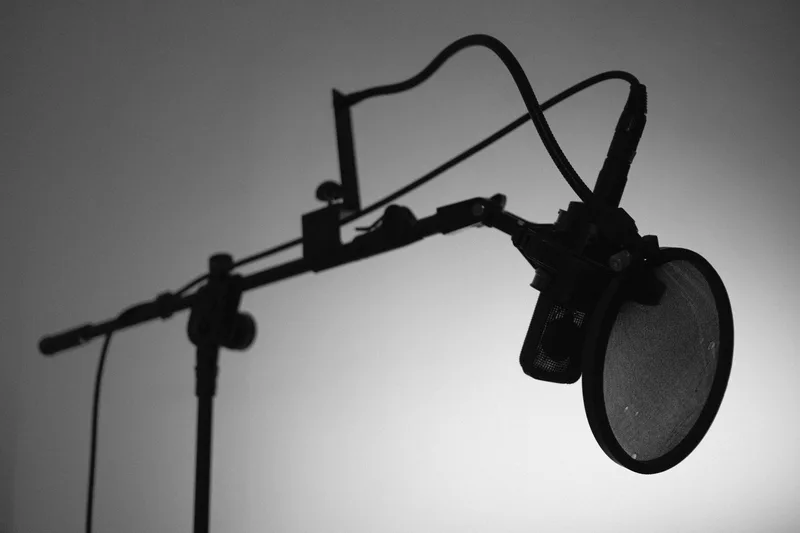
Your avatar moves, but your voice still does all the emotional work. The room treatment and mic habits that apply to any voice-driven faceless format apply here too: soft surfaces to kill echo, a consistent distance from the mic, and headphones to catch problems before your audience does.
Record a ten-second test clip before every session. If you hear hum, echo, or clipping, fix it before you go live, not after.
Step 8: Publish Your First Stream or Video
Start smaller than you think you need to. A short, simple stream with a basic PNGtuber avatar and clean audio beats a delayed launch while you wait for a perfect custom model.
Test your full pipeline end to end before an audience sees it: webcam tracking, avatar movement, mic levels, and recording output. Fix anything broken in that dry run, not during your first real stream.
Income from VTubing mostly comes from Superchats, channel memberships, and sponsorships, not from the avatar itself. A large academic study of 1,923 VTubers’ YouTube livestreams between 2017 and 2023 found the average monthly income across all of them was $2,667, but the median was only $127, because a small number of top channels earn most of the money. Set your expectations around the median, not the average, and build toward regular YouTube ad monetization in parallel; the full eligibility checklist covers the subscriber and watch-hour thresholds that unlock it.
Common Mistakes When Becoming a VTuber
1. Buying an expensive custom model before testing the format
Start with a free or cheap avatar. Confirm you enjoy performing on camera, even an animated one, before paying for a $1,000+ commission.
2. Signing a commission without reading the rights terms
Ask who owns the model, whether commercial use is covered, and whether you get the source files. Get it in writing before you pay a deposit.
3. Assuming VTubing is a dying format
Viewership moves in waves, not a straight line down. VTuber watch time fell 15.4% quarter over quarter in Q2 2026 after a record Q1, per Streams Charts, with roughly 11,300 channels tracked. That is a dip tied to a few top creators broadcasting less, not a collapse of the format.
4. Confusing a PNGtuber with a lesser VTuber
A PNGtuber is a VTuber using static images instead of a rigged model. It is a valid, permanent choice for many creators, not just a beginner placeholder.
5. Skipping the tracking test before going live
Test your webcam tracking and audio levels in a short recording first. A model that does not track your expressions correctly, or audio that clips, is far easier to fix before an audience is watching.
Keep Reading
What to Do Next
Six faceless formats, twelve real channels, one decision in five minutes.
Get the Format Decision Tree
Six faceless formats scored against niche fit, trust tradeoff, production load, and real channel examples. Free PDF.
Free. No spam. Unsubscribe anytime.
Take the 2-min Quiz
Match your time, comfort, and topic to one of ten channel models. Profile-tailored result page.
Start the Quiz